

Infotainment Updates: How to update your Kia’s navigation and software at our Dayton service center.
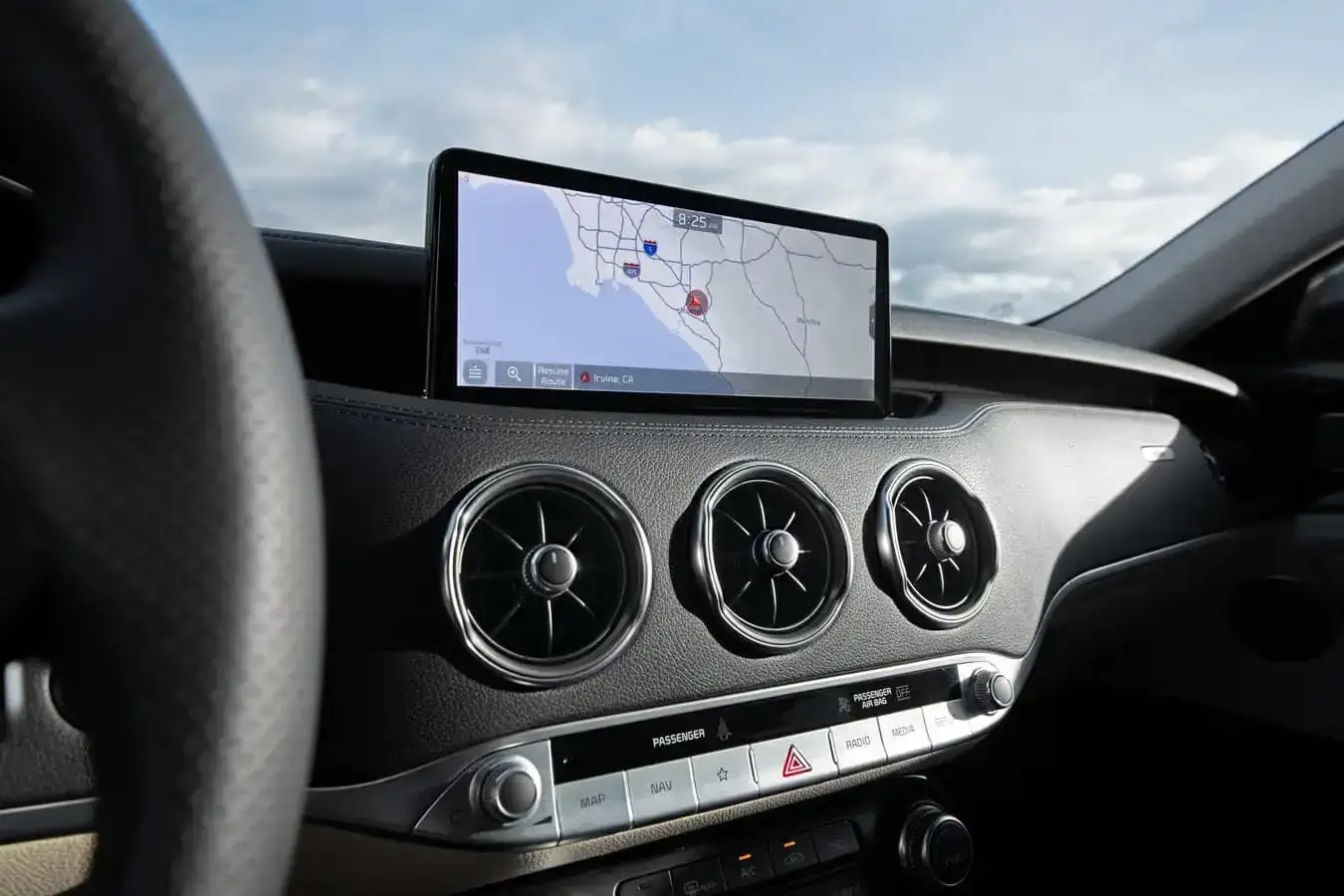
The map on your Kia’s navigation screen looks right until the day it doesn’t. A new interchange opens on I-70, a road gets rerouted near Huber Heights, and suddenly the system is confidently directing you somewhere that no longer exists the way it used to.
Software and navigation updates on modern Kia vehicles cover a lot more than map data. They address system stability, Bluetooth connectivity behavior, voice recognition accuracy, Apple CarPlay and Android Auto compatibility, and in some cases the responsiveness of the touchscreen itself. Kia releases these updates on a rolling basis, and vehicles that haven’t been in for a software check in the past year or two are often running versions that have been superseded multiple times over. The car works, the screen responds, and nothing throws a warning light, which is exactly why so many owners don’t know they’re behind.
What Kia Software Updates Actually Cover
The infotainment system in a modern Kia is closer to a tablet computer than a traditional car radio. It runs an operating system, communicates with other vehicle modules, and handles inputs from multiple sources simultaneously. Like any software platform, it accumulates fixes, patches, and feature additions over time that don’t make it to the vehicle unless an update is applied.
Navigation map data is the most visible layer. Roads change, speed limits get updated, new points of interest open, and areas that were under construction when the vehicle left the factory have long since been completed. For Dayton-area drivers, that means things like updated routing around the SR-202 corridor in Huber Heights or accurate guidance through the ongoing infrastructure work near the US-35 and I-75 interchange. A navigation system running two-year-old maps is working from a snapshot of the road network that no longer fully matches reality.
Below the map layer, firmware updates address how the system communicates internally. Connectivity issues with Android Auto dropping mid-trip on Old Troy Pike, Bluetooth pairing that works inconsistently, or a system that takes longer than it should to boot after startup are all symptoms that a firmware update frequently resolves. Kia’s engineering team pushes fixes for known issues through software releases that dealership technicians can apply during a service visit.
How the Update Process Works at Kia of Dayton
Updates to Kia’s UVO infotainment system are applied in two primary ways depending on the vehicle model year and which components need updating. Newer models with over-the-air capability can receive certain updates wirelessly, but map data and firmware updates of any significant size typically require a dealership visit where the update is pushed through the vehicle’s OBD port using Kia’s diagnostic software.
The process at Kia of Dayton begins with a system scan that identifies the current software version across all infotainment modules and compares it against the latest available releases. From there the technician downloads and applies the applicable updates, which depending on the volume of changes and the vehicle model can take anywhere from 30 minutes to just over an hour. The vehicle needs to remain on with a stable power supply during the process, which is handled in the service bay.
Some owners attempt navigation map updates at home using Kia’s Map Update portal and a USB drive. That process works for map data on supported models, but it doesn’t cover firmware updates, system patches, or the module-level software that requires the diagnostic connection. A dealership visit catches everything the USB process misses and confirms the entire system is on current software rather than just the map layer.
Daniel Cho, a service advisor at Kia of Dayton, fields questions about this regularly. “A lot of customers come in thinking their system is fine because they updated the maps at home, but when we run the scan we find the firmware is still on an older version with known issues. The full update through our diagnostic system takes care of everything in one shot, and a lot of the connectivity complaints they’ve been living with just go away.”
Why Running Outdated Software Costs More Than an Update Visit
The most immediate cost of outdated infotainment software is convenience. A navigation system routing around road configurations that no longer exist, a Bluetooth connection that drops on the commute down Brandt Pike, or a CarPlay integration that requires replug every trip are low-level frustrations that accumulate across every drive. Owners often adapt to these quirks without connecting them to software that can be fixed.
Beyond convenience, some software updates address issues that affect how the infotainment system interacts with other vehicle modules. In certain Kia models, outdated software has been associated with charging communication errors on hybrid variants, incorrect fuel economy data reporting, and HVAC control responsiveness issues that trace back to module communication rather than a mechanical fault. Diagnosing these issues without first confirming the software is current adds unnecessary diagnostic time and cost to what might otherwise be a straightforward fix.
Navigation update pricing through the dealership varies by model year and the scope of what’s being applied. A full system software update including map data typically runs $100 to $200 at the dealership for vehicles outside the complimentary update window. Many Kia models include free map updates for a set period after purchase, often three years, which means owners of newer vehicles may be entitled to updates at no charge. Checking that eligibility before paying for an update is worth a quick call to the service desk.
What to Check Before Your Update Appointment
Coming to the appointment with a few pieces of information speeds the process. Knowing the current software version displayed in the system settings, typically found under the About or System Info section of the infotainment menu, lets the service advisor confirm in advance what updates are applicable. For vehicles with UVO connectivity, confirming the account is active and the vehicle is properly registered in the Kia Connect app ensures the technician can pull the full update history for the system.
If specific issues prompted the visit, noting exactly when and how they occur helps the technician verify the fix after the update is applied. A Bluetooth dropout that happens specifically when connecting a particular phone model, or a navigation rerouting issue that occurs in a specific part of Huber Heights, is easier to verify as resolved when the technician knows what to replicate.
Here’s a quick checklist to work through before bringing the vehicle in:
- Current software version: Find it under Settings, then System Info or About on the infotainment screen. Note the version number so the service advisor can confirm what updates apply.
- Active UVO or Kia Connect account: Log in and verify the vehicle is registered. An inactive account can delay the update process.
- Update eligibility: Check whether the vehicle is still within the complimentary map update window. Kia of Dayton’s service desk can confirm this by VIN before the appointment.
- Specific issues to flag: Write down any connectivity, navigation, or system behavior problems so the technician can verify they’re resolved after the update is complete.
The 30-Day Action Plan for Kia Owners in the Dayton Area
If the vehicle hasn’t had a software check in the past year, it’s worth scheduling one at the next service visit. The scan that identifies current software versions takes only a few minutes and can be added to any routine service appointment, so it doesn’t require a separate trip. Owners who are experiencing Bluetooth issues, navigation inconsistencies, or touchscreen responsiveness problems should prioritize the check sooner rather than folding it into a future oil change.
For vehicles still within the complimentary update window, there’s no reason to delay. The update costs nothing, takes less than an hour in most cases, and addresses issues the owner may not have connected to software at all. Even a system that seems to be working normally often has pending patches that improve stability and connectivity in ways that aren’t obvious until they’re applied.
Kia releases software updates multiple times per year on active model lines, which means a vehicle that was fully current six months ago may already have applicable updates available. Making the software check a standard part of annual service keeps the system current without requiring a separate tracking effort.
The infotainment system in a modern Kia is one of the more capable setups in its segment, and it gets better with each update rather than staying frozen at whatever version shipped from the factory. Schedule your software update or service appointment at Kia of Dayton, 8560 Old Troy Pike, Huber Heights, OH 45424, and let the service team make sure your system is running everything it should be.

0 comment(s) so far on Infotainment Updates: How to update your Kia’s navigation and software at our Dayton service center.